May 30, 2026
Building My Portfolio: From Concept to Code
#Next.js#Portfolio#Web Development#Tailwind CSS
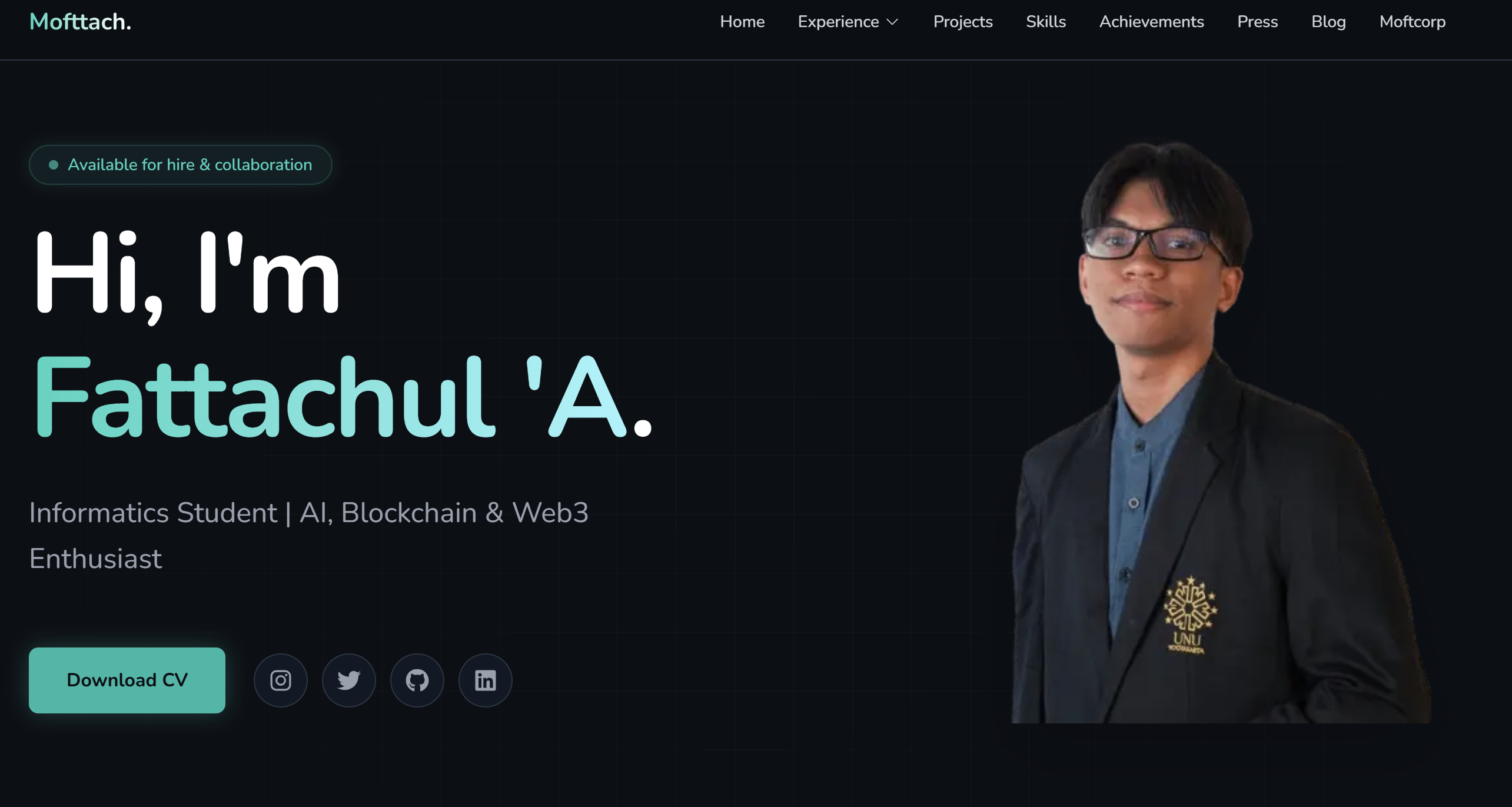
Building My Portfolio: From Concept to Code
Every developer needs a portfolio, but I wanted mine to be more than just a list of projects. I wanted it to tell my story — from fixing laptops in Pasuruan to coordinating PyCon APAC 2024 with speakers from 13 countries.
The Tech Stack
After evaluating several options, I chose:
- Next.js 16 (App Router) — for server-side rendering and static site generation
- Tailwind CSS v4 — for rapid, design-token-based styling
- Custom File-based CMS — for full control over content management
- Framer Motion — for smooth animations and transitions
- MDX — for rich blog content with embedded React components
Architecture Decisions
Why a Custom CMS?
I initially used Decap CMS (formerly Netlify CMS), but I wanted more control. My custom CMS reads Markdown files with YAML frontmatter from a local
content/ directory. This approach gives me:- Version control — all content is tracked in Git
- Flexibility — custom schemas per collection
- No external dependencies — no third-party service needed
The Design System
I built a dark-theme design system with carefully selected color tokens:
--color-accent-400: #2DD4BF;  /* Teal - primary accent */
--color-gold-400: #FACC15;     /* Gold - achievements */
--color-surface: #121826;      /* Card backgrounds */
The glassmorphism effect uses
backdrop-blur with semi-transparent backgrounds, giving each card a premium, layered feel.What I Learned
Building this portfolio taught me that design consistency is harder than coding. Getting every page to feel cohesive — same spacing, same animations, same color language — requires discipline and a strong design system.
If you're building your own portfolio, my advice: start with your design tokens, not your components.
This site is open source. Feel free to explore the code and architecture behind it.
Thanks for reading!